

Track Cycling Training Data, has a Home
Track


Easily track your Gym workouts in the Factors app, let the AI Coach analyze it with everything else.
Enrich
Enrich your ride data with track-cycling-specific notes and details to give to our AI and/or your human coach.
Qualitative Journal Notes
Factors AI interprets your thoughts, sensations, and feelings from each effort alongside your quantitative data. Did you hold a nice line? How did it feel, regardless of what the data says? Factors takes everything into account.
Effort/Interval
Labels
Tag your effort or interval type using pre-existing or custom labels.(e.g., F200, Pursuit, Jump, Gate Start, etc.).
Time Splits
Record detailed time splits, including standing start splits (15m, 65m, 125m, 250m), lap times, flying effort times, race times, and fully custom effort timing.
Equipment Labels
Tag your equipment (track aerodynamics) so that Factors AI can forecast performance and monitor changes due to equipment differences.
Gearing
Log what gear you used for each effort so our AI can deeply analyze power/cadence data and recommend gear selection for future efforts.
Track Location and Air Density
Include where you rode and the environmental conditions, allowing our AI to normalize time data for every track and environment.
Evolve
All of your data; sleep, nutrition, recovery metrics, effort types, power, cadence, heart rate, races, equipment, times, thoughts, and feelings, are seamlessly processed by the Factors AI Analytics Model.
Coaching Features
Workout Planning/Scheduling, Agentic Training Planning and Review, Custom Data Privacy
Web Platform
A more analytics focused web-platform for athletes and coaches alike.
Automatic Time Tracking
Working with Canadian Velodromes using MyLaps to automate effort time-logging directly inside the Factors app.
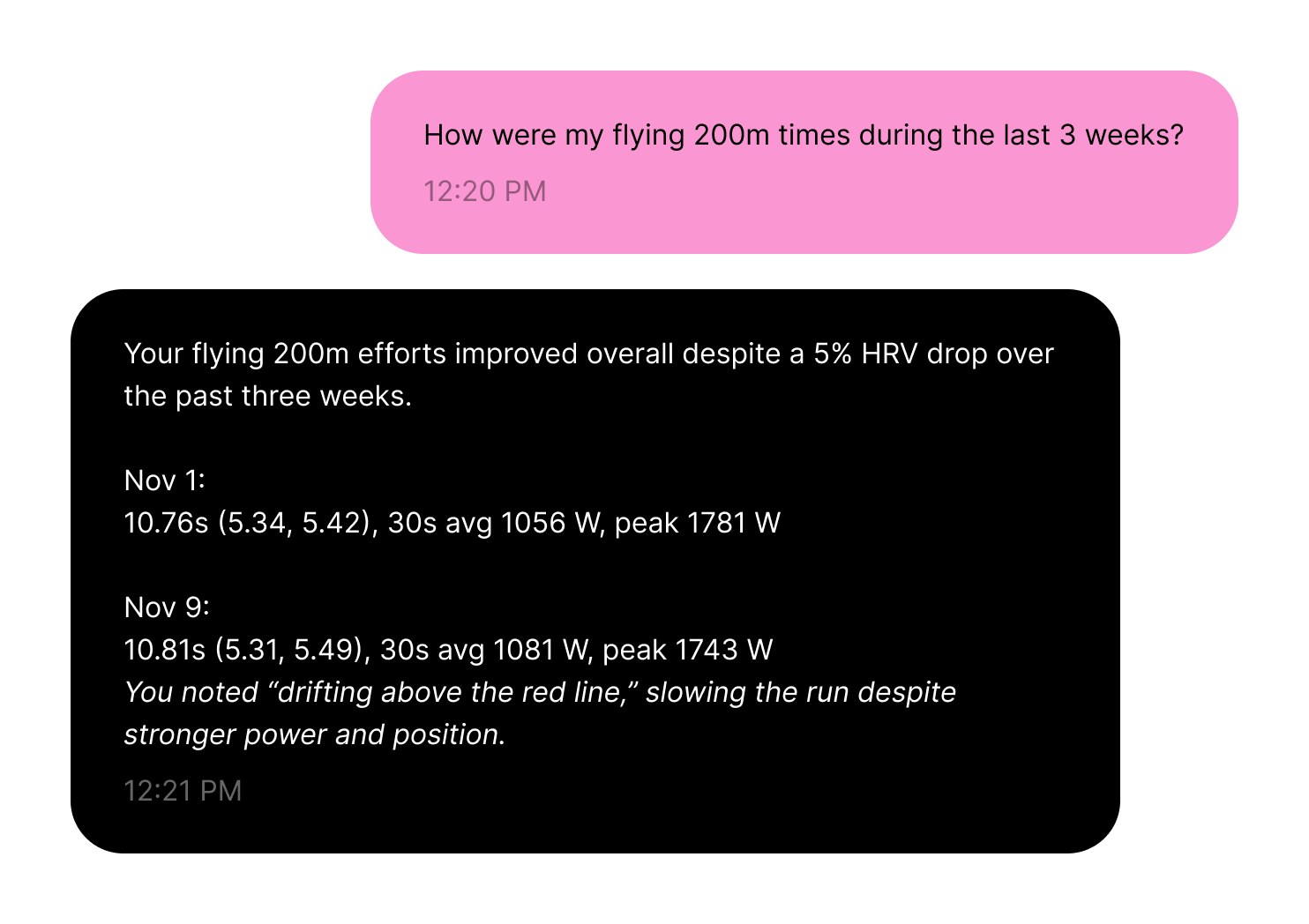
Coach Kilo (AI Coach-Assist)
Analyzes all of your training data including subjective training journal notes.
Dashboards
Power/Cadence/Heart Rate Dashboard
Nutrition Dashboard
Weight Training Dashboard
Recovery & Sleep Dashboard
Factors Gym
Track you gym exercises using Factors Gym.
Factors Journal
Track your equipment data, time data, RPE, subjective effort notes, general subjective notes, location, air density.
Auto Fitfile Splitting
Log your entire track workout in one fitfile. Upload to Factors and click "split". Factors automatically splits your fitfile into multiple efforts.
Manual Data Entry
No power meter? No problem. Use the Factors Journal to track everything else.
App Integration
Integrate with the tools you already use to automate data collection (Garmin, Whoop, Wahoo, MyfitnessPal, Oura Ring, Trainingpeaks and Apple Health for all other fitfiles and wearables).
Coach Portal
Invite your Coach to review and help manage your data.